LAHORE (The Thursday Times) — If a Safe City camera in Punjab catches your car or motorcycle jumping a signal, speeding, or carrying a rider without a helmet, an e-challanAn electronic traffic ticket. In Punjab’s camera-covered cities, the system records the violation and generates the challan automatically. is generated without anyone stopping you. Here is how to check whether your vehicle has one, how to pay it, and what happens if you do not, based on the Punjab Safe Cities Authority’s own pages as of 14 November 2026.
How an e-challan reaches you
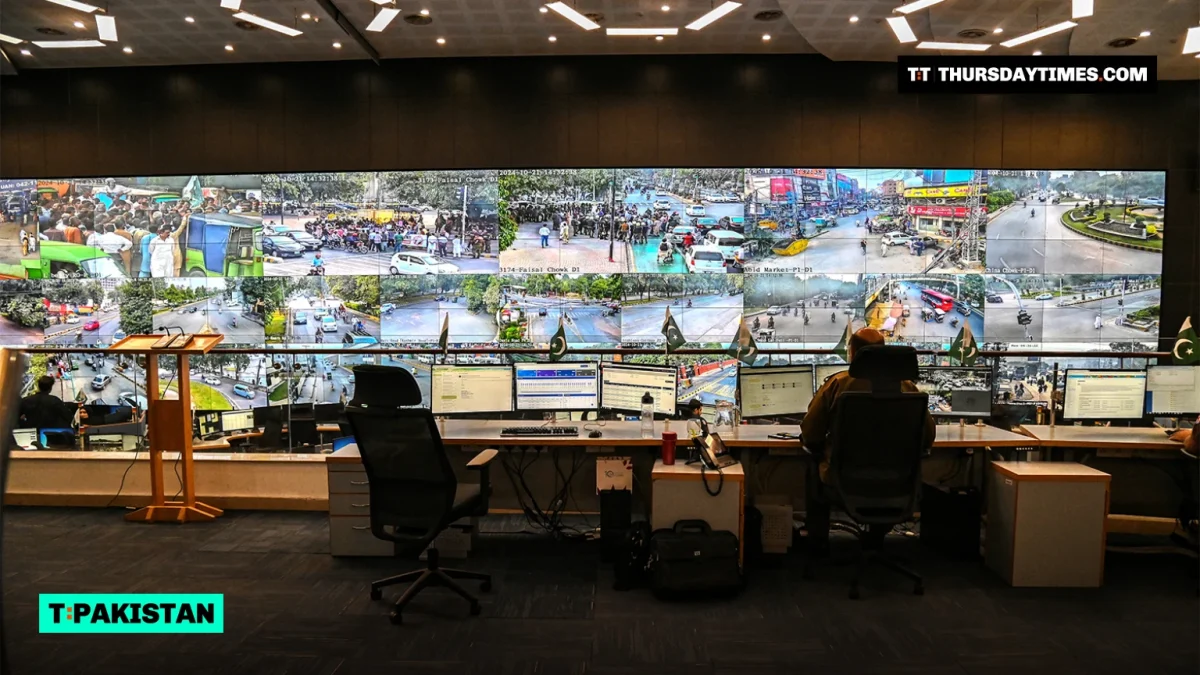
E-challans in Punjab’s cities are issued by the Punjab Safe Cities Authority, or PSCA, which runs the Safe CityThe Punjab Safe Cities Authority (PSCA), the provincial body that runs the city camera networks and the e-challan system, working with the traffic police. camera network with the traffic police. Its Intelligent Traffic Management System uses AI-powered cameras at major intersections and on highways to read live traffic footage and record violations.
PSCA says that the moment a violation is detected, an automated challan is generated and sent to the offender on WhatsApp. Because the portal searches by number plate and the owner’s CNIC, it is the vehicle’s owner who checks for, and clears, any challan.
What the cameras fine you for
PSCA’s traffic violations page lists the offences its system enforces. They include:
- Jumping a traffic signal
- Exceeding the speed limit
- Riding a motorcycle without a helmet, and triple riding
- Not wearing a seatbelt, and using a mobile phone while driving
- Crossing lines or lanes, or stopping on a zebra crossing
- Driving on the wrong side of the road, or where vehicles are not allowed
- Breaking parking rules and obstructing traffic
- Tinted or covered glass, emitting excessive smoke, and driving at night without proper lights
- One-wheeling, and underage (juvenile) driving
- Overloading a goods vehicle
- Driving an unregistered vehicle, or one without a valid route permit or fitness certificate
How to check for an e-challan
You can check online on PSCA’s e-challan portal. You do not need an account to search.
- Open echallan.psca.gop.pk and go to Search E-Challan.
- Enter the vehicle’s plate number exactly as it is registered. The portal accepts the formats ABC 000, ABC 0000, and ABC-00-0000.
- Enter the owner’s 13-digit CNIC number with no dashes, or the vehicle’s chassis number instead.
- Complete the on-screen security check and run the search.
- Note the details of any challan that comes up before you pay it.
On a phone, PSCA’s Public Safety app does the same job. PSCA says the app lets citizens check, download, and manage their e-challans. It is listed as PSCA Public Safety on the Google Play Store and the Apple App Store. Download it only from those official store listings, and be wary of WhatsApp messages that ask you to pay through an unfamiliar link.
How to pay
PSCA has named two routes. In its notices on e-challan defaulters, it said e-challans can be paid at all branches of the Bank of Punjab and the National Bank of Pakistan. When it brought in online payment with the Punjab Finance Department, it said citizens could pay through the Punjab e-Pay app, using an ATM, Easypaisa, JazzCash, or online banking, instead of queueing at a bank.
- Find the challan on the portal or in the Public Safety app, and keep its details to hand.
- Pay the amount shown on the challan, either over the counter at a Bank of Punjab or National Bank branch, or online through the Punjab e-Pay app.
- Keep the receipt or payment confirmation.
- Search the portal again after a short while to make sure the challan no longer shows as unpaid.
The fine depends on the violation and the vehicle, and the amount you owe is the one printed on your challan. If the payment instructions on the challan differ from the routes above, follow the challan.
| Task | Official channel | What you need |
|---|---|---|
| Check a challan online | echallan.psca.gop.pk | Plate number, plus CNIC or chassis number |
| Check or download on a phone | PSCA Public Safety app | The app from Google Play or the App Store |
| Pay over the counter | Bank of Punjab or National Bank branches | The challan details |
| Pay online | Punjab e-Pay app (ATM, Easypaisa, JazzCash, or online banking) | The challan details |
What happens if you do not pay
Unpaid e-challans can get a vehicle blacklisted. PSCA says it works with the traffic police and Punjab Police, using ANPRAutomatic Number Plate Recognition: cameras that read number plates and alert officers when a blacklisted or suspicious vehicle passes. cameras to identify blacklisted vehicles, including those with multiple unpaid e-challans, and to have them intercepted. It advises owners to clear outstanding dues to avoid penalties or the seizure of their vehicle.
Its blacklisting page, last updated on 9 February 2026, puts the number of vehicles blacklisted at 9,948 and the number caught at 732. That list also covers vehicles blacklisted by the Excise and Taxation Department, vehicles linked to criminal cases, and cars with fake or cloned number plates. The same page links a Vehicle Blacklist Removal Form for owners who have settled the problem.
If you think a challan is wrong
As of 14 November 2026, PSCA’s public pages do not set out a formal process for disputing an e-challan. If a challan does not match your vehicle, for example because the plate was misread or someone is using a copy of your number plate, contact PSCA through the contact page on psca.gop.pk or the city traffic police, with the challan details and your registration papers. Do it before the challan is left unpaid long enough to put the vehicle at risk of blacklisting.
Islamabad works differently
PSCA covers Punjab only. In the capital, e-challans are handled by the Islamabad Traffic Police, and the Islamabad Capital Territory Police website links to an e-challan service on its traffic portal.
Frequently asked questions
How do I check my e-challan in Punjab?
Go to echallan.psca.gop.pk, enter the plate number and the owner’s 13-digit CNIC number (or the chassis number), and search. You can also use the PSCA Public Safety app.
Can I check an e-challan without the CNIC?
Yes. The portal accepts the vehicle’s chassis number in place of the CNIC, along with the plate number.
Where can I pay a Safe City e-challan?
PSCA has said e-challans can be paid at any Bank of Punjab or National Bank branch, or online through the Punjab e-Pay app using an ATM, Easypaisa, JazzCash, or online banking.
How will I know I have been fined?
PSCA says the challan is sent to the offender on WhatsApp as soon as the violation is detected. Do not rely on the message alone; search the portal from time to time, especially before selling a vehicle or after lending it to someone.
Is there a late fee for unpaid e-challans?
PSCA’s public pages do not list a late-payment surcharge. The consequence they do describe is blacklisting: vehicles with multiple unpaid e-challans can be picked up by ANPR cameras, stopped, and seized.